Getting Started
| Authors |
|
| Last Updated | 10/12/2025, 12:48:54 PM |
| Last Author | Kai Berszin |
Scope
This folder includes various guides useful for getting started with writing documentation.
To start off, start with this page for an tutorial on how to make changes or addition ot the SAGE documentation and then dive deeper into the following topics:
Prerequisites
- You must have a GitHub account.
- You do not need to know how to code or use the command line, however it is recommended to familiarise yourself with GitHub.
note
You need access to the ARIS GitHub organization, to gain access contact one of the following persons:
- Kai Berszin
- Gianluca Ielpo
- Sebastian Oes
Contributing in your Web Browser
- Make sure you are logged into GitHub.
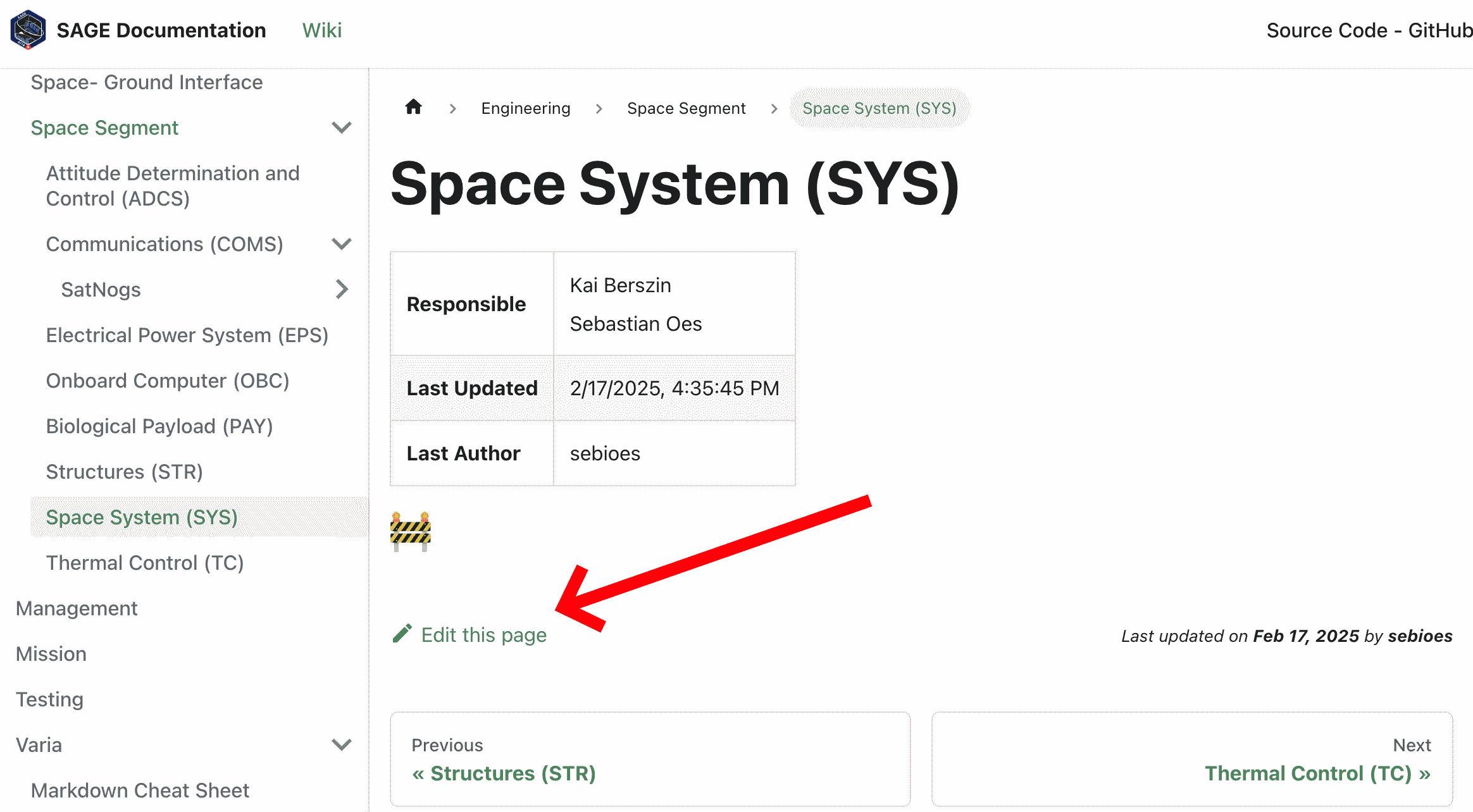
- Go to the relevant documentation page and press "Edit this page".
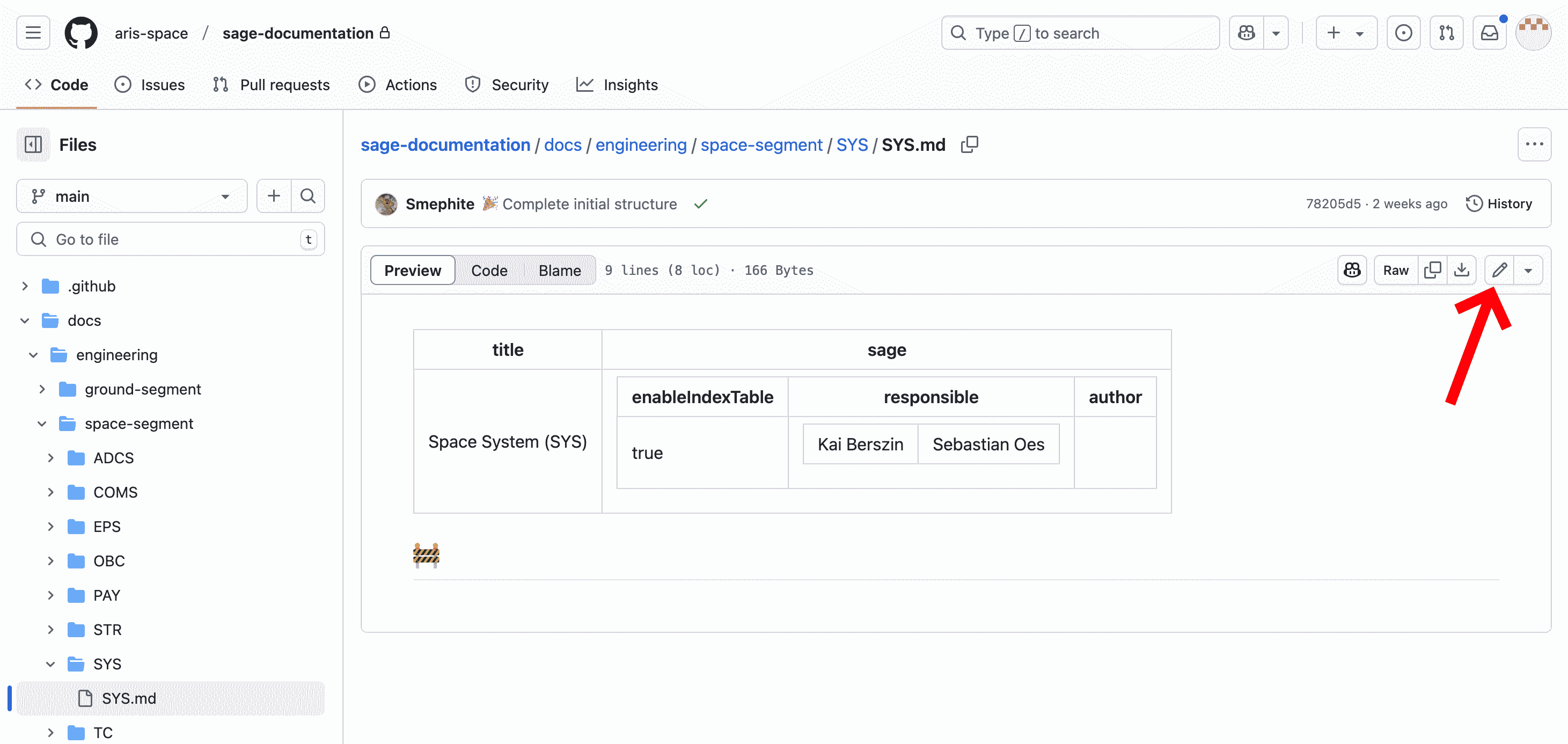
- This will bring you to the sage-documentation GitHub repository, where our documentation is located. Press "Edit" to make changes to a Markdown file.
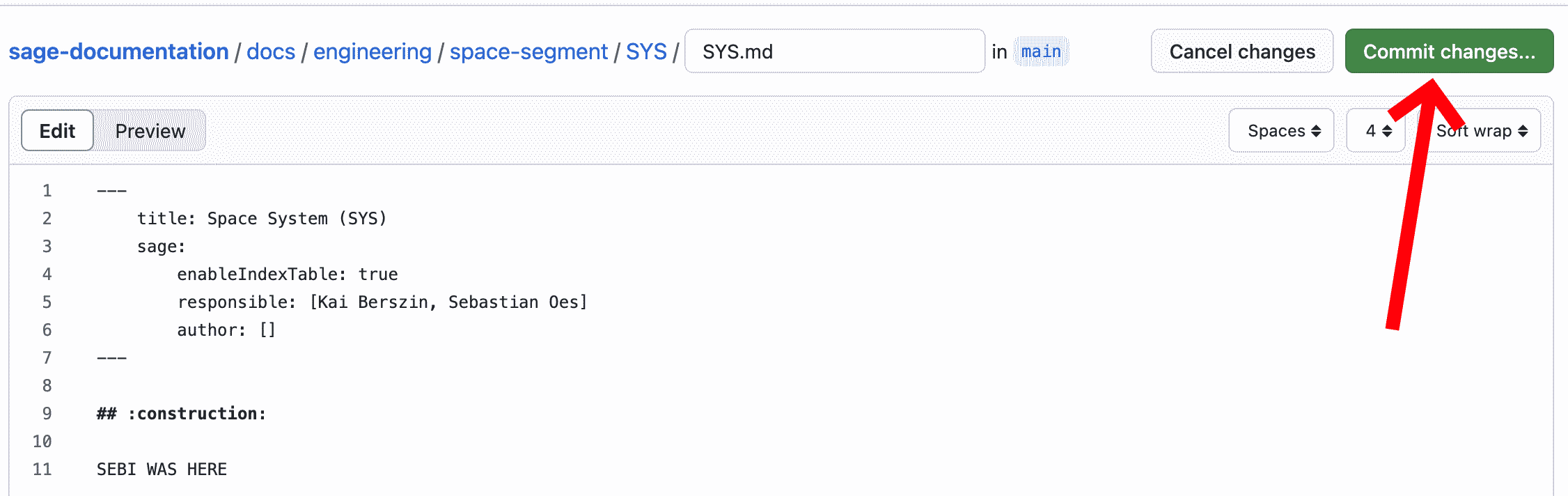
- When happy with your changes, or you want to save your progress, press "Commit" changes.
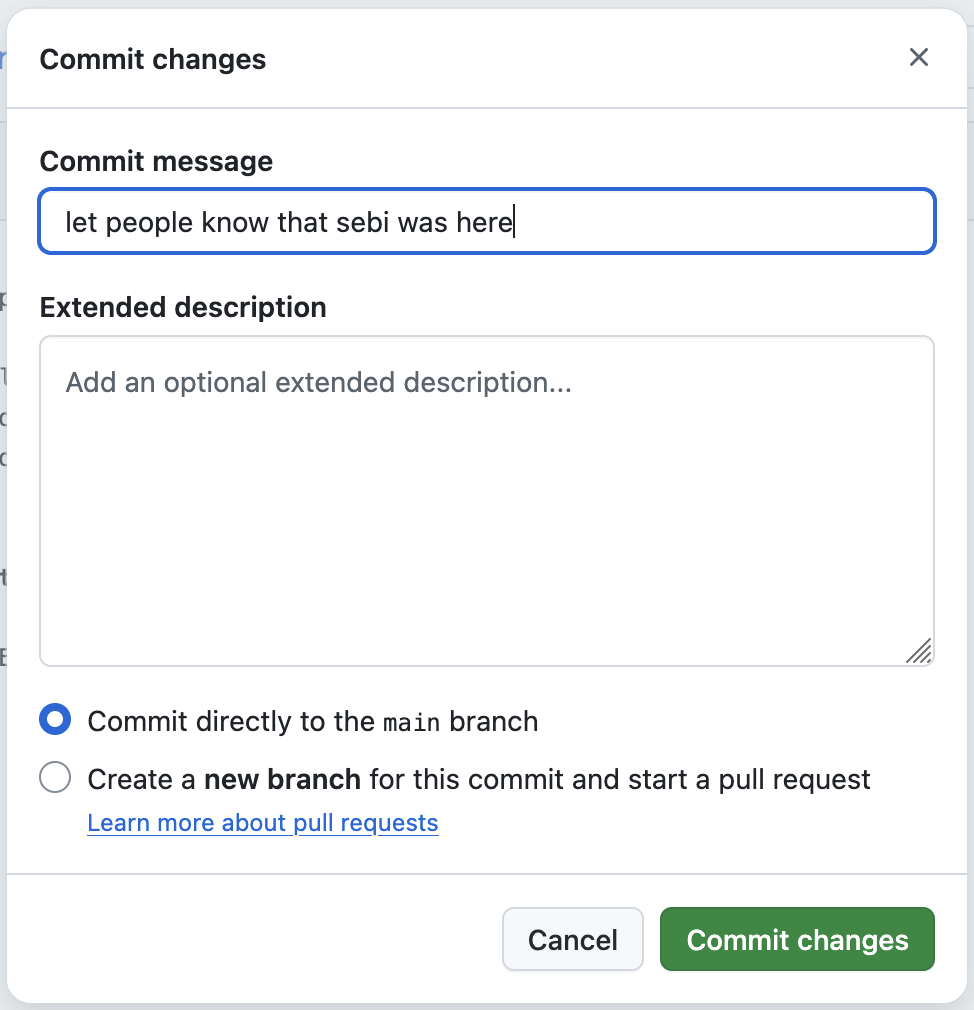
- Enter a commit message. This allows us to understand and track changes to our documentation.